What's New in Mortly: May 2026

Welcome to the first edition of something we're going to make a habit of: a quick, plain-English tour of what we built in Mortly last month, and why it actually matters for your day. No changelogs. No engineer-speak. Just the good stuff.
May was a busy one. Your fee sheets got a glow-up, your task list learned the difference between "right now" and "later," and we sanded down a couple of rough edges you've probably bumped into. Let's dig in.
✅ Fee Sheets, All Dressed Up
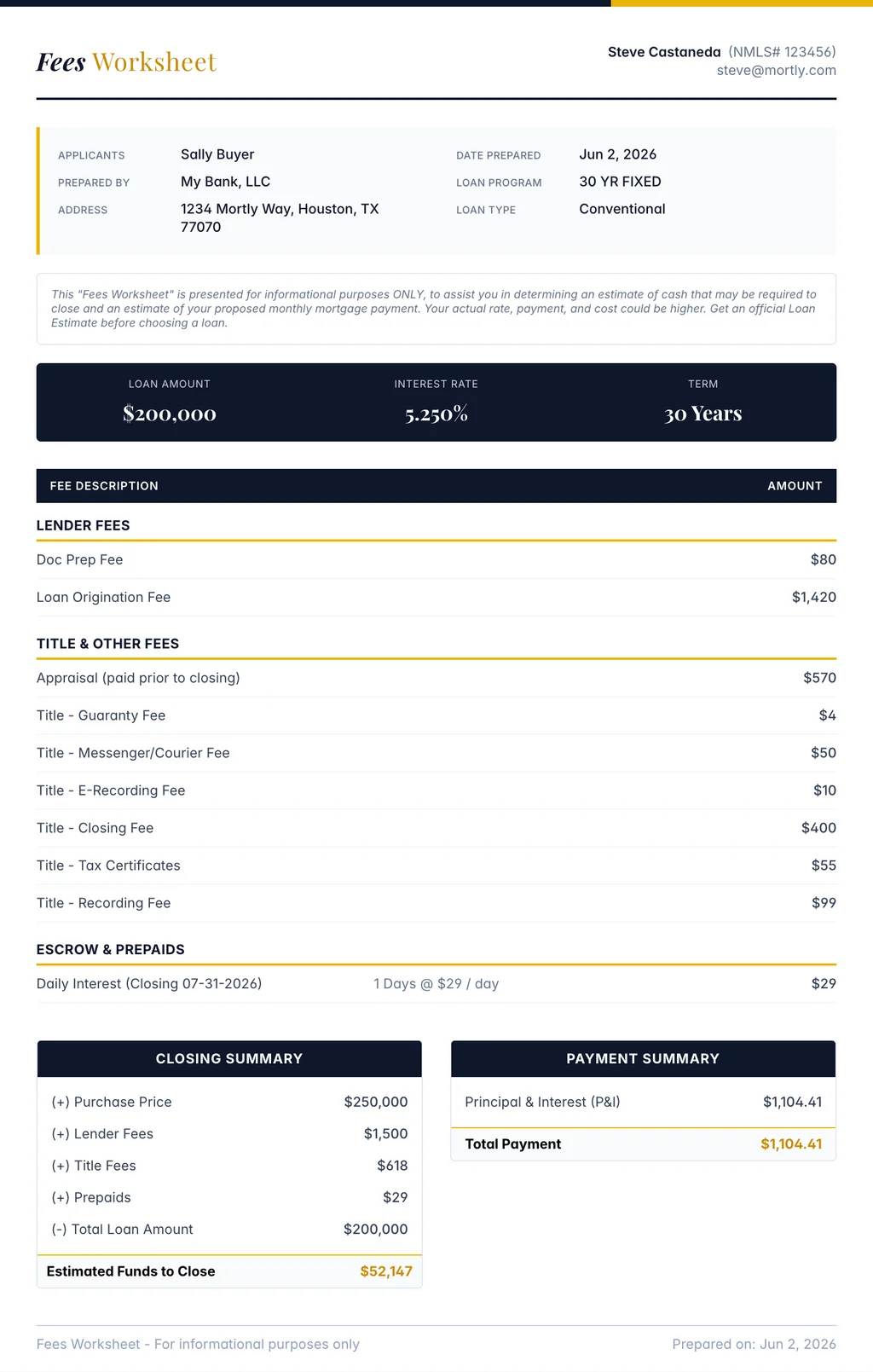
Let's start with the big one. Your fee sheet, that breakdown of costs and payments you hand a borrower, just got a serious wardrobe upgrade. And as of last month, it's live for everyone.
Here's the thing. For the longest time, the fee sheet was... fine. Functional. The financial equivalent of a gray cubicle. It got the numbers across, but it didn't exactly say "trust me with the biggest purchase of your life."
So we redesigned it. Now, when you generate a fee sheet, you start from a polished design, a sharp navy-and-gold say, instead of the old one-size-fits-all gray. Same numbers, same math, just wrapped in something that makes you look like the pro you are. Think of it as the difference between handing someone a receipt and handing them a menu at a nice restaurant. Identical information. Very different first impression.
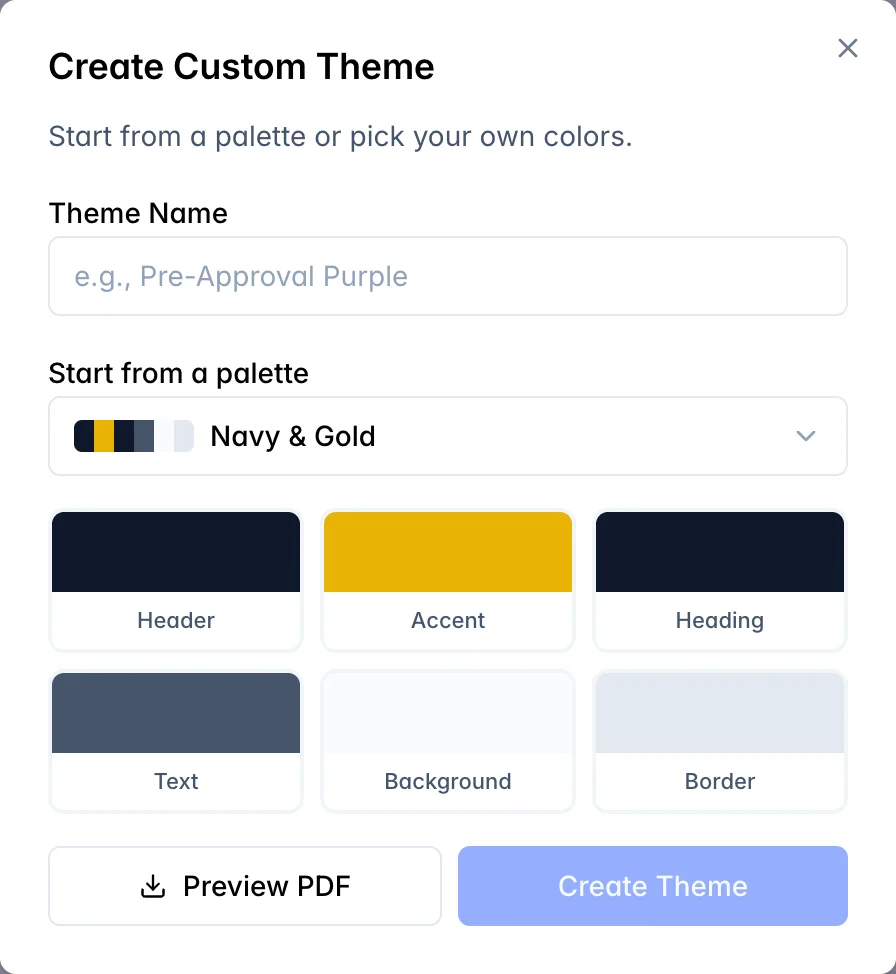
And here's my favorite part: you can make it your own. Build a custom theme by picking your colors, the header, the accent, the text, the background, the works, give it a name, and save it for your whole team. Your fee sheets go out in your brand, not ours. Set it up once, and everyone you work with is reaching for the same sharp look.
And you're no longer stuck emailing a static PDF that's out of date the second you tweak a number. Hit Share, and Mortly hands you a link. Your client opens it, sees the fee sheet rendered live, and can grab the PDF themselves. The best part? That link always shows your latest numbers. Adjust the scenario and the shared sheet updates itself, so there's no awkward "ignore that last attachment" follow-up email.
Oh, and you'll know the moment they look. When a client views or downloads the sheet, you get a heads-up, which, let's be honest, is the perfect excuse to pick up the phone while you're still top of mind.
Everything you've shared lives on the new Shared page so you can find it later. And if you run a team, you can set a default template so everyone's fee sheets show up looking consistently sharp.
✅ Your Day, Sorted: Today vs Upcoming
Next up: your task list finally learned to tell "deal with this now" apart from "future me's problem."
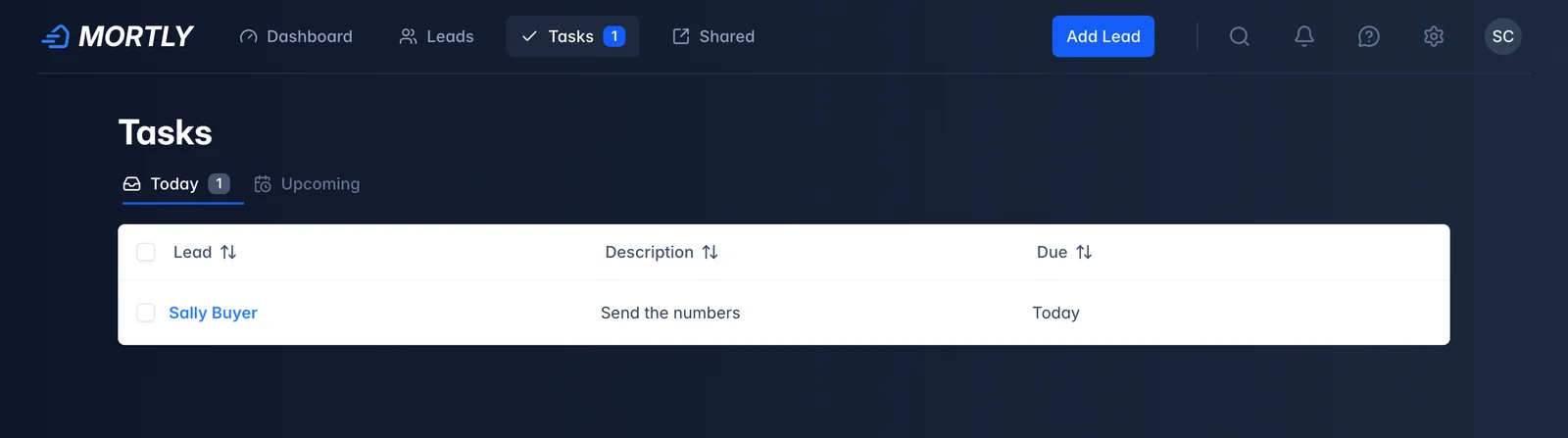
The Tasks page now splits in two. Today shows what's due today, plus anything overdue (because pretending it isn't there has never once made it go away). Upcoming holds everything you've scheduled down the road. No more scrolling past next month's reminders to find the call you need to make in the next hour.
There's also a little count badge on the Today tab, so you can see how many tasks are waiting on you at a glance, without even clicking in. Five staring back at you? Time to get to work. A clean zero? Go ahead and take the long lunch. You earned it.
✨ The Little Things That Add Up
A couple of smaller fixes you'll feel more than notice:
- Forms that stop bailing on you. Tabbing through a pop-up window used to occasionally land on the little "X" and close the whole thing, taking your half-typed entry with it. We benched that gremlin. Tab away freely.
- No more timestamp flicker. Right after you saved an edit, a scenario card would blink "updated" back to "created" for half a second, like it forgot what just happened. It doesn't anymore.
And under the hood, we did a pile of decidedly unglamorous plumbing work to keep Mortly fast and steady. You won't see any of it. That's kind of the point.
See You Next Month
That's May. Quiet on the surface, maybe, but every one of these started with a loan officer telling us what was slowing them down. So keep the feedback coming. It's where this whole list comes from.
More to show you next month. As always, if something's bugging you or you've got an idea, reach out. I read every note.
Talk soon. 👋